Your First Project
- 1. Open the Hub
- 2. Write a component
- 3. Write a system
- 4. Build
- 5. Use it
- What to read next
- If something did not work
A complete pass through the loop: create a project, write a component and a system, and watch them run. Roughly fifteen minutes, most of it the first compile.
1. Open the Hub
cargo run -p kooch_editor
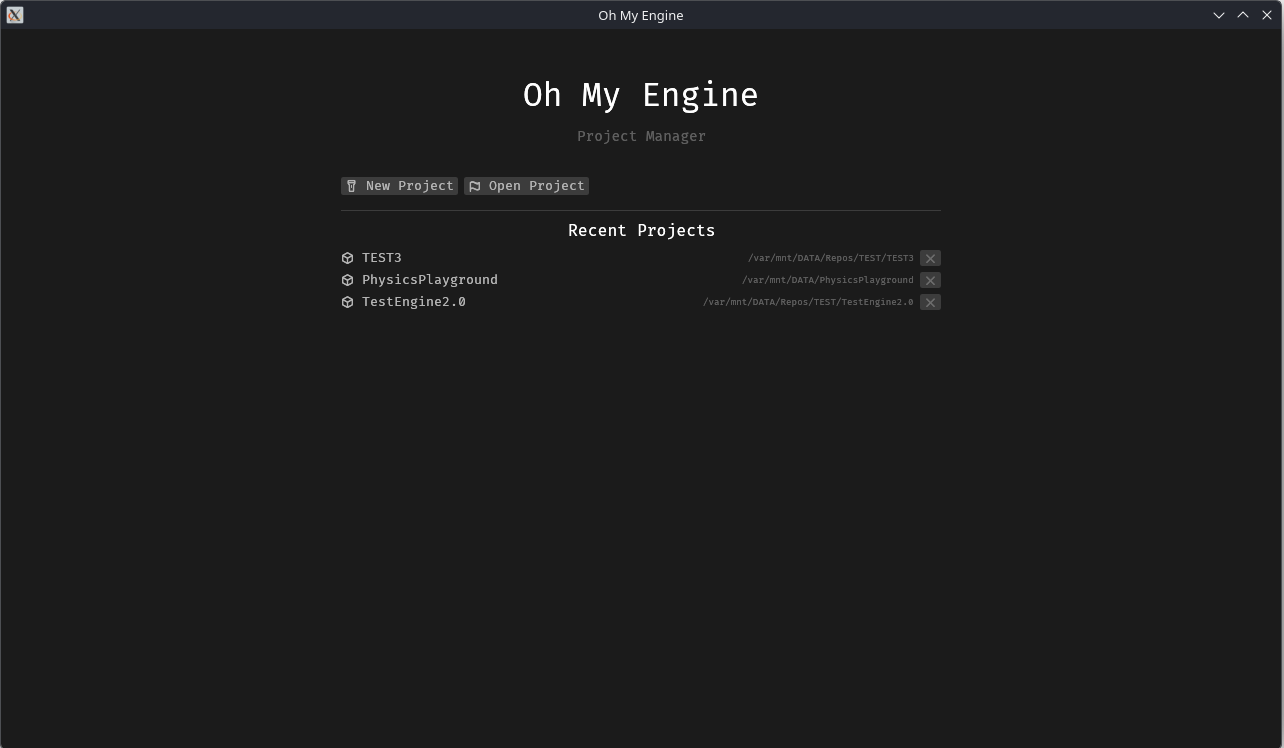
Create a project, or open one you have. The first build of a new project compiles the engine too — several minutes, once.
A project made with an older editor is migrated on open. You do not have to do anything, but that first build will also be a full one.
2. Write a component
New Component from the editor, named Spinner, then open src/spinner.rs and fill it in:
#![allow(unused)]
fn main() {
use kooch::kooch_ecs::Reflect;
use kooch::kooch_ecs::component::Component;

/// Makes an entity rotate. Attach it and set the speed in the Inspector.
#[derive(Default, Reflect)]
#[reflect(category = "Gameplay")]
pub struct Spinner {
    /// Degrees per second around the Y axis.
    pub speed: f32,
}

impl Component for Spinner {}
}
speed is public, so the Inspector will draw a drag value for it. Nothing else is needed —
see Writing a Component for the attributes that change how it is drawn.
3. Write a system
This one touches Transform, whose fields are glam types. The prelude re-exports them, so
there is nothing to add to Cargo.toml:
Vec2,Vec3,Vec4,Quat,Mat3andMat4come throughkooch::prelude, and the wholeglamcrate is reachable askooch::glam. Adding your ownglamdependency is the one thing to avoid: aQuatfrom a different version is a different type, and the compiler error names two types spelled identically.
New System, named spin, then open src/spin.rs:
#![allow(unused)]
fn main() {
use kooch::kooch_ecs::Query;
use kooch::kooch_ecs::transform::Transform;
use kooch::prelude::*;

use crate::spinner::Spinner;

/// Rotates every entity that has a `Spinner`.
pub fn spin(resources: &mut Resources) {
    let dt = resources
        .get::<Time>()
        .map(|t| t.delta_secs())
        .unwrap_or(1.0 / 60.0);

    let query = Query::<(&Spinner, &mut Transform)>::new(resources);
    query.for_each(|(spinner, transform)| {
        transform.rotation *= Quat::from_rotation_y(spinner.speed.to_radians() * dt);
    });
}
}
The query matches only entities that have both components, so a Spinner on an entity
with no Transform is simply skipped rather than being an error.
4. Build
Registration already happened. The editor polls src/, found impl Component for Spinner and
pub fn spin(_: &mut Resources), and rewrote registrations.rs with both — within a second of
you saving, from whichever editor you saved in. The toolbar’s Resync button forces it, and
pulses when the generated file has moved ahead of your last build.
Then build. Today that means a terminal:
cargo build
and reopening the editor, because the project’s library is loaded once when the project opens. A build button and a live reload are #158 and #648; until they land, this step is manual and it is the slow part of the loop.
5. Use it
With the project reopened:
- Select an entity in World (or spawn one).
- Add Component → Gameplay →
Spinner. - Set
speedin the Inspector — try90. - Press Play.
It spins. Press Stop and the world returns exactly as you authored it — Play snapshots before it starts and restores on stop, so testing never costs you your scene.
What to read next
- Writing a Component — every field type the Inspector can draw, and the attributes that control it
- Writing a System — queries, stages, spawning
- Creating a Project — what each generated file is for
- The Editor — the panels, and what is not built yet
If something did not work
| Symptom | Cause |
|---|---|
| The component is not in the Add Component menu | The project has not been rebuilt and reopened since it was written — registering is not compiling |
| A field is not in the Inspector | It is private, has #[reflect(skip)], or is a type reflection does not support yet (#649) |
| The derive does not compile | A field’s type is not supported — Vec<T>, HashMap, your own enums. Mark it #[reflect(skip)] |
| The system never runs | It is in Update behind the Playing gate; press Play. Or its signature does not match pub fn f(_: &mut Resources) exactly — on one line — so the scanner missed it |
| The system runs in the wrong stage | Say which with #[system(PreUpdate)]; without it, every system lands in Update. See Writing a System |
| A child object or shadow lags one frame behind | The system writes a Transform in PostUpdate or later, after the engine already resolved GlobalTransform. Move it to Update |
| Play opens a second window and takes minutes | The old local-Play path (#633) |